Chess (Game)
- Location:
/templates/chess - Highlights: A fully-featured turn-based game (Chess) on an EVM chain using Effectstream's L2.
The chess template provides a complete implementation of a web-based chess game. It's an excellent example of how to build turn-based games using Effectstream, showcasing lobby creation, player matching, and in-game move submission, all handled through a Effectstream L2 contract on an EVM chain.
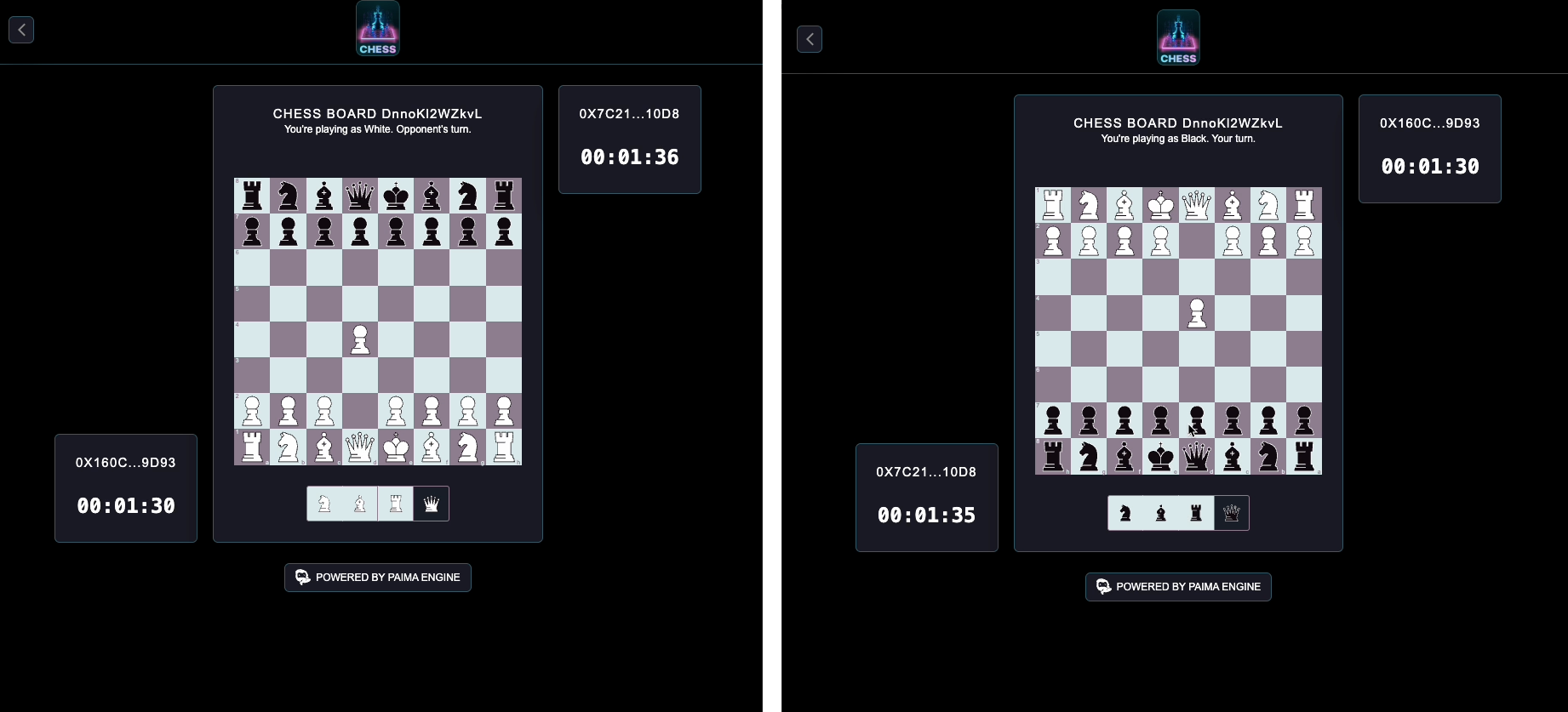
Core Concept: On-chain Chess
The goal of this template is to demonstrate a classic turn-based game where all game logic is processed deterministically by the Effectstream. Players interact with a simple frontend to play chess, and their moves are submitted to the blockchain.
- Game State: Managed entirely by Effectstream, ensuring a consistent and verifiable state.
- Player Actions: All actions, like creating a lobby or making a move, are sent as inputs to a
Effectstream L2 Contracton an EVM chain. - Backend Logic: The state machine processes these inputs to update the game state, such as moving pieces, ending games, and updating player stats.
This template is a great starting point for any turn-based game, not just chess.
Quick Start
# Check for external dependencies
./../check.sh

# Install packages
deno install --allow-scripts && ./patch.sh

# Compile contracts
# TODO: Verify if there is a specific build command for chess contracts, assuming it is build:evm for now.
deno task build:evm

# Launch Effectstream Node
deno task dev
Now you should see the dApp running in your browser!
Chess Game
The Components in Action
When you run deno task dev for this template, the Process Orchestrator sets up a complete local environment:
- Hardhat EVM Node: A local EVM blockchain.
- Development Services: The development database, log collector, TUI, and the Explorer.
- Effectstream: Node to sync the chain and process game logic.
- Frontend: A web interface to play chess.
On-Chain Logic
The chess template uses a Effectstream L2 Contract on the EVM chain. This contract acts as a "mailbox" for player inputs. Instead of implementing complex game logic on-chain, which would be expensive and slow, players submit simple, formatted strings representing their actions to the contract's submitInput function.
Effectstream monitors the PaimaGameInteraction event from this contract to receive and process player inputs.
// Simplified example of what the PaimaL2Contract does
contract PaimaL2 {
    event PaimaGameInteraction(address indexed user, bytes input, uint256 indexed nonce);

    function submitInput(bytes calldata input) external payable {
        // ... logic to handle input submission ...
        emit PaimaGameInteraction(msg.sender, input, nonce);
    }
}
The State Machine (state-machine.ts)
The State Machine contains the core game logic for chess. It listens for inputs from the Effectstream L2 Contract and updates the game state in the database accordingly.
createdLobby
Triggered when a player creates a new game lobby. It creates a new lobby in the database and waits for another player to join.
stm.addStateTransition("createdLobby", function* (data) {
  const user = data.signerAddress;
  const { blockHeight, parsedInput, randomGenerator } = data;
  // ... logic to create a lobby ...
});
joinLobby
Triggered when a player joins an existing lobby. This will match two players together and start a new chess game.
stm.addStateTransition("joinLobby", function* (data) {
  const user = data.signerAddress;
  const { blockHeight, parsedInput, randomGenerator } = data;
  // ... logic to join a lobby and start a game ...
});
closeLobby
Allows a player to close a lobby they created if it's no longer needed.
stm.addStateTransition("closeLobby", function* (data) {
  const user = data.signerAddress;
  // ... logic to close a lobby ...
});
submitMoves
This is the main STF for gameplay. It's triggered when a player submits their move for the current turn. The state machine validates the move, updates the board state, and checks for game-ending conditions like checkmate or stalemate.
stm.addStateTransition("submitMoves", function* (data) {
  const user = data.signerAddress;
  const { blockHeight, parsedInput, randomGenerator } = data;
  // ... logic to process player moves, update board state, etc. ...
});
Scheduled Transitions
The chess template also includes examples of scheduled transitions, which are not directly triggered by player input but by the engine at specific times or intervals.
z: Handles "zombie" games, where a player has timed out.u: Updates user statistics.sb: Submits moves for AI/bot players.
stm.addStateTransition("z", function* (data) {
 const { blockHeight, parsedInput, randomGenerator } = data;
 // ... logic to process actions when players have timed out ...
});
Database Schema
The database has the following tables:
- lobbies: A table to store the created and ongoing chess games.
- rounds: A table to store the rounds of each chess game.
- match_moves: A table to store the moves of each chess game.
- final_match_state: A table to store the final state of each chess game.
- global_user_state: A table to store the user stats.
The database schema is defined in the database/src/migrations/database.sql file.
The database queries are defined in the database/src/sql folder.
We will look at the lobbies tables in more detail.
CREATE TABLE lobbies (
  -- Unique identifier for the lobby
  lobby_id TEXT PRIMARY KEY,
  ...
  -- The current round of the chess game
  current_round INTEGER NOT NULL DEFAULT 0,
  ...
  -- Whether the lobby is hidden in the API/UI
  hidden BOOLEAN NOT NULL DEFAULT false,
  ...
  -- Whether the lobby is a practice game
  practice BOOLEAN NOT NULL DEFAULT false,
  ...
  -- The difficulty of the bot
  bot_difficulty INTEGER NOT NULL DEFAULT 0,
  ...
  -- The creator of the lobby
  lobby_creator TEXT NOT NULL,
  ...
  -- Whether the player one is white
  player_one_iswhite BOOLEAN NOT NULL,
  ...
  -- The player two of the lobby
  player_two TEXT,
  ...
  -- The state of the lobby
  lobby_state lobby_status NOT NULL,
  latest_match_state TEXT NOT NULL
);
API
The chess game comes with a set of backend APIs to query for game state. This is used for the web chess application.
Endpoints
Here is a high level view of the available endpoints:
GET /api/user_stats: Fetches statistics for a given user.GET /api/user_lobbies_blockheight: Gets the block height for a user's lobbies.GET /api/user_lobbies: Retrieves lobbies created by a specific user.GET /api/search_open_lobbies: Searches for open lobbies.GET /api/round_status: Gets the status of a specific round in a lobby.GET /api/round_executor: Fetches the executor of a round.GET /api/random_lobby: Returns a random lobby.GET /api/random_active_lobby: Returns a random active lobby.GET /api/open_lobbies: Fetches a list of open lobbies.GET /api/match_winner: Gets the winner of a match.GET /api/match_executor: Fetches the executor of a match.GET /api/lobby_state: Retrieves the current state of a specific lobby.
Get Open Lobbies
Let't look into one specific endpoint to understand how the API works. This endpoint allows you to retrieve a paginated list of all open chess lobbies.
Endpoint: GET /api/open_lobbies
Implementation:
// Typebox schema for the query parameters
const QuerystringSchema = Type.Object({
  wallet: Type.String(),
  count: Type.Optional(Type.Number({ default: 10, minimum: 1, maximum: 100 })),
  page: Type.Optional(Type.Number({ default: 1, minimum: 1 })),
});

// Typebox schema for the response body
const LobbySchema = Type.Object({
  lobby_id: Type.String(),
  lobby_state: Type.String(),
  ...
});

// Function to setup the endpoint
export function setupOpenLobbies(
  server: fastify.FastifyInstance,
  dbConn: Pool,
): void {
  server.get<{
    Querystring: Static<typeof QuerystringSchema>;
    Reply: Static<typeof ResponseSchema>;
  }>("/api/open_lobbies", async (request, reply) => {
    // Get the query parameters
    let { wallet } = request.query;
    const { count, page } = request.query;
    wallet = wallet.toLowerCase();

    // Calculate the offset
    const offset = page * count;

    // Get the lobbies from the database
    const lobbies = await getPaginatedOpenLobbies.run(
      { count: `${count}`, page: `${offset}`, wallet },
      dbConn,
    );

    // Send the response
    reply.send({ lobbies });
  });
}
Query Parameters
| Parameter | Type | Default | Required | Description |
|---|---|---|---|---|
wallet | string | Yes | The wallet address of the user. | |
count | number | 10 | No | The number of lobbies to return. |
page | number | 1 | No | The page number for pagination. |
Example Request
curl "http://localhost:3000/api/open_lobbies?wallet=0x123...abc&count=5&page=2"
Example Response
{
  "lobbies": [
    {
      "created_at": "2023-10-27T10:00:00.000Z",
      "creation_block_height": 123456,
      "current_round": 1,
      "hidden": false,
      "latest_match_state": "rnbqkbnr/pppppppp/8/8/8/8/PPPPPPPP/RNBQKBNR w KQkq - 0 1",
      "lobby_creator": "0x123...abc",
      "lobby_id": "lobby-xyz-789",
      "lobby_state": "open",
      "num_of_rounds": 5,
      "play_time_per_player": 600,
      "player_one_iswhite": true,
      "rating": 1500,
      "round_length": 180
    }
  ]
}
Response Body
The response contains a list of lobby objects with the following fields:
| Field | Type | Description |
|---|---|---|
created_at | date | Timestamp of when the lobby was created. |
creation_block_height | number | Block height at which the lobby was created. |
current_round | number | The current round number in the lobby. |
hidden | boolean | Whether the lobby is hidden or not. |
latest_match_state | string | The FEN string of the latest match state. |
lobby_creator | string | Wallet address of the lobby creator. |
lobby_id | string | Unique identifier for the lobby. |
lobby_state | string | Current state of the lobby (e.g., "open"). |
num_of_rounds | number | Total number of rounds in the match. |
play_time_per_player | number | Play time per player in seconds. |
player_one_iswhite | boolean | Whether player one is playing as white. |
rating | number | The rating of the lobby. |
round_length | number | The length of each round in seconds. |