A Cardano Presale, Part 2: Clone, Publish, Launch the App
This is part two of a two-part series on building a presale on Cardano. Part one covered the on-chain contract - how a purchase receipt is enforced so a participation is only recorded if the buyer really paid. This post is about the app on top of it.
Standing up a presale used to mean wiring a sale contract, an indexer, a payment flow, and a UI before you could take a single order. With the EffectStream preorder launchpad, creating a campaign on Cardano comes down to two steps: clone and publish. This post walks through the app built on top of that contract - and the piece that makes the Cardano side genuinely fast: UTxORPC.
What the app does
The launchpad is a barebones but complete presale application. From it you can:
- create and end campaigns,
- browse every ongoing presale and its catalog,
- contribute to a campaign by paying on-chain, and
- see your own contributions and balances, per wallet.
All of that state is projected from on-chain events by a single EffectStream node. No campaign logic lives in the frontend, and the database is a replayable projection of the chain rather than a source of truth.
Create a campaign by cloning and publishing
There is no hosted control panel to sign up for. You clone the template and run it:
git clone https://github.com/effectstream/effectstream.git
cd effectstream/templates/preorder
bun install
bun run dev
bun run dev boots the whole local stack - database, the EVM and Cardano dev chains, the sync node, and the frontend. On startup the app publishes a create-campaign input on-chain, signed by the admin wallet, and the state machine ingests it. The campaign's configuration - its catalog, pricing, and reward tiers - lives on-chain, so the whole campaign is deterministic and replayable from genesis. Ending a campaign is the same shape: an end-campaign admin input that the state machine applies.
That is the "publish" half. Cloning the template and publishing a campaign config is all it takes to have a live, multi-chain presale.
Why the Cardano side is fast: UTxORPC
Historically, indexing Cardano meant running a full node and chasing the tip block by block - heavy to operate and slow to catch up. The launchpad does not do that. Its sync layer streams blocks through Dolos over UTxORPC, a lightweight interface to Cardano's UTxO data.
Two things fall out of that:
- Cheap to run. EffectStream's sync is NTP-clocked, not block-clocked - it only reaches for chain data when a campaign actually has relevant activity, so an idle campaign costs almost nothing.
- Quick to launch. A fresh campaign deployment does not resync the entire history of every chain it might ever watch; UTxORPC lets it come up and start tracking payments in seconds.
The payoff is that each presale can be its own independent deployment - its own database, sync node, and frontend - without paying a punishing sync cost. That independence is what makes "clone and publish per campaign" practical on Cardano.
Contributing, balances, and the admin view
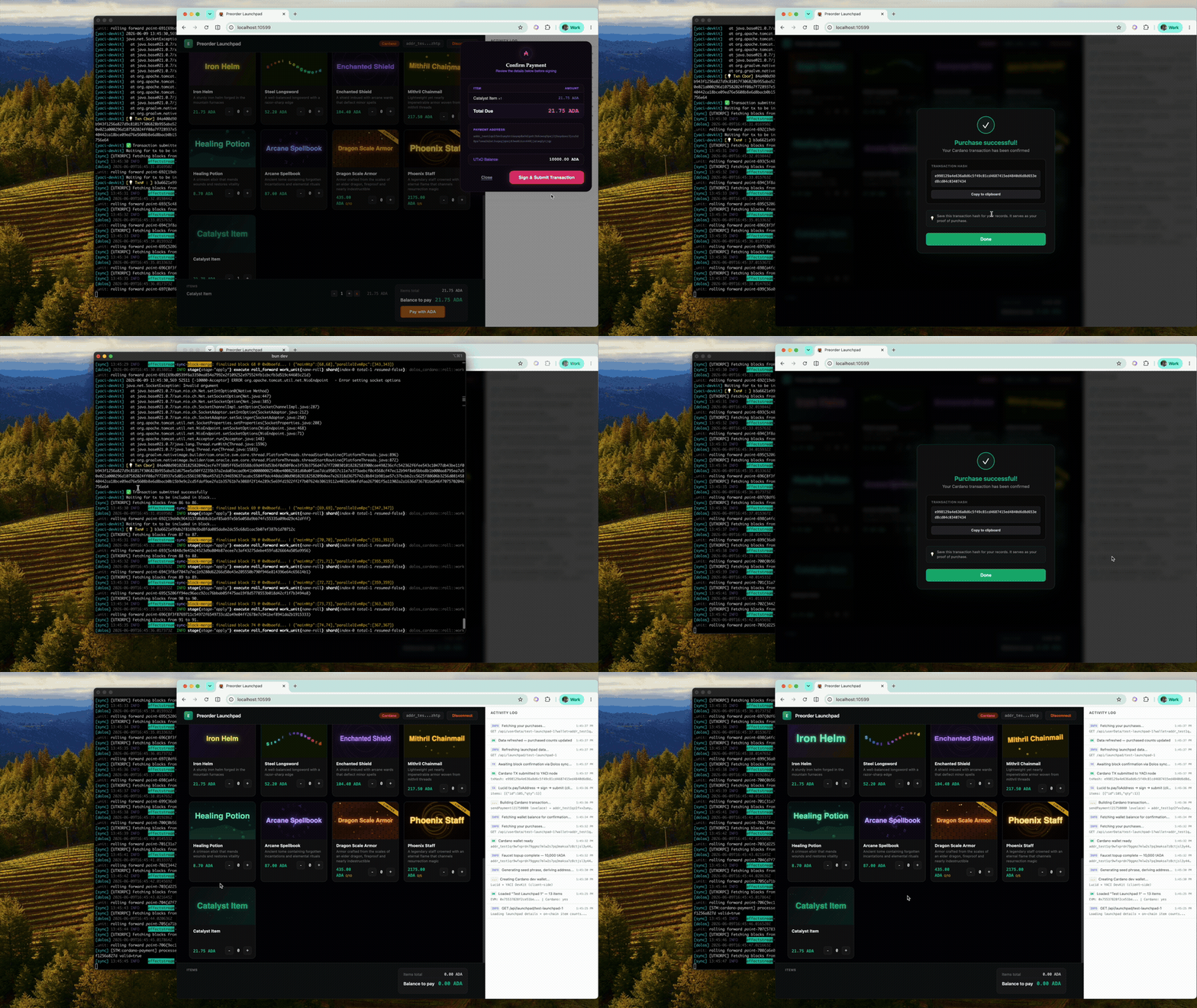
On the public page, a buyer connects a Cardano wallet, picks an item, and pays in ADA. The clip above shows the checkout: the Catalyst Item at 21.75 ADA, the wallet's UTxO balance, and a single Sign & Submit step. Once the payment settles, the buyer's "My Purchases" panel reflects their per-wallet balance.
On the admin side, the campaign creator manages the catalog - adding a new product is a signed on-chain input that the public page picks up live - and can end the campaign when the sale is over.
Watch the full flow
The walkthrough runs the whole thing end to end: clone the repo, boot the stack, watch the create-campaign land on startup, the UTxORPC sync catch up, an admin add a product, and a buyer purchase it with ADA.
Run it yourself
- Preorder template (full multi-chain stack, runs locally with one command): https://github.com/effectstream/effectstream/tree/v-next/templates/preorder
- Launchpad portal frontend: https://github.com/PaimaStudios/paima-portal
- Original repository (preserved for reference): https://github.com/PaimaStudios/paima-preorder